01
Capture
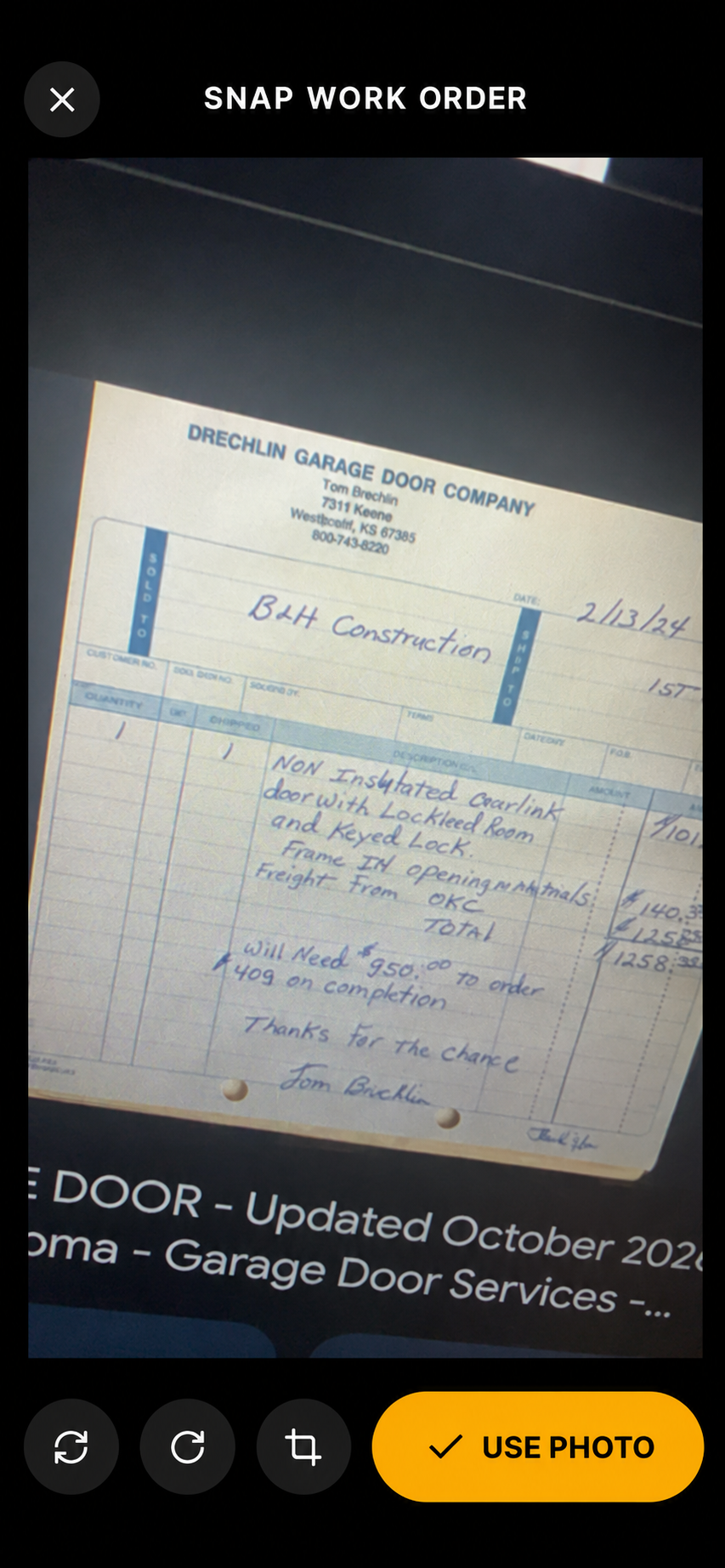
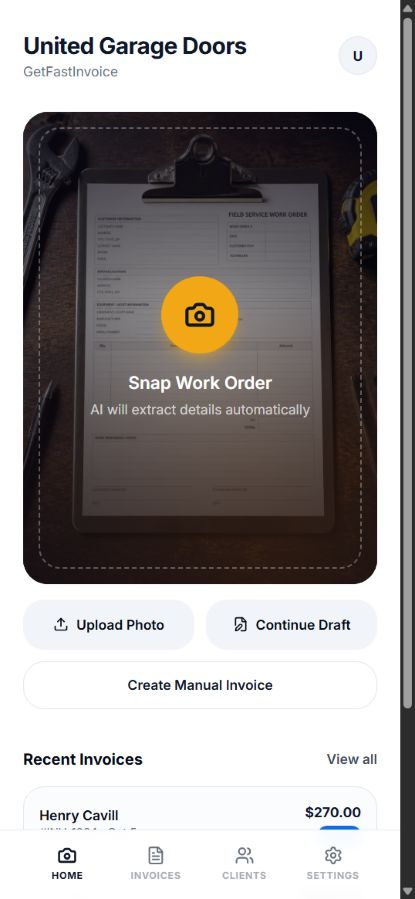
Photograph or upload a handwritten work order, or create an invoice manually. Scanning helps bring existing job notes into the workspace; manual entry supports jobs without a paper document.
Independent Project
Invoices, client records, and follow-up in one workspace.
GetFastInvoice is a self-initiated app I created using Lovable, an AI-assisted development platform. It gives service businesses one workspace for creating invoices, managing client records, tracking payment status, and coordinating team access. AI-assisted scanning is one way to start an invoice; manual creation, saved clients, branding, and delivery tools support the rest of the work.
Creator · AI-assisted development with Lovable
01 · The problem
A service business needs more than a finished invoice. It also needs a record of the client, a way to see what is unpaid, and tools to follow up. GetFastInvoice connects those tasks: create or scan an invoice, check the details, send it, track its status, and return to the client’s history for the next job.
02 · Invoice creation and delivery
01
Photograph or upload a handwritten work order, or create an invoice manually. Scanning helps bring existing job notes into the workspace; manual entry supports jobs without a paper document.
02
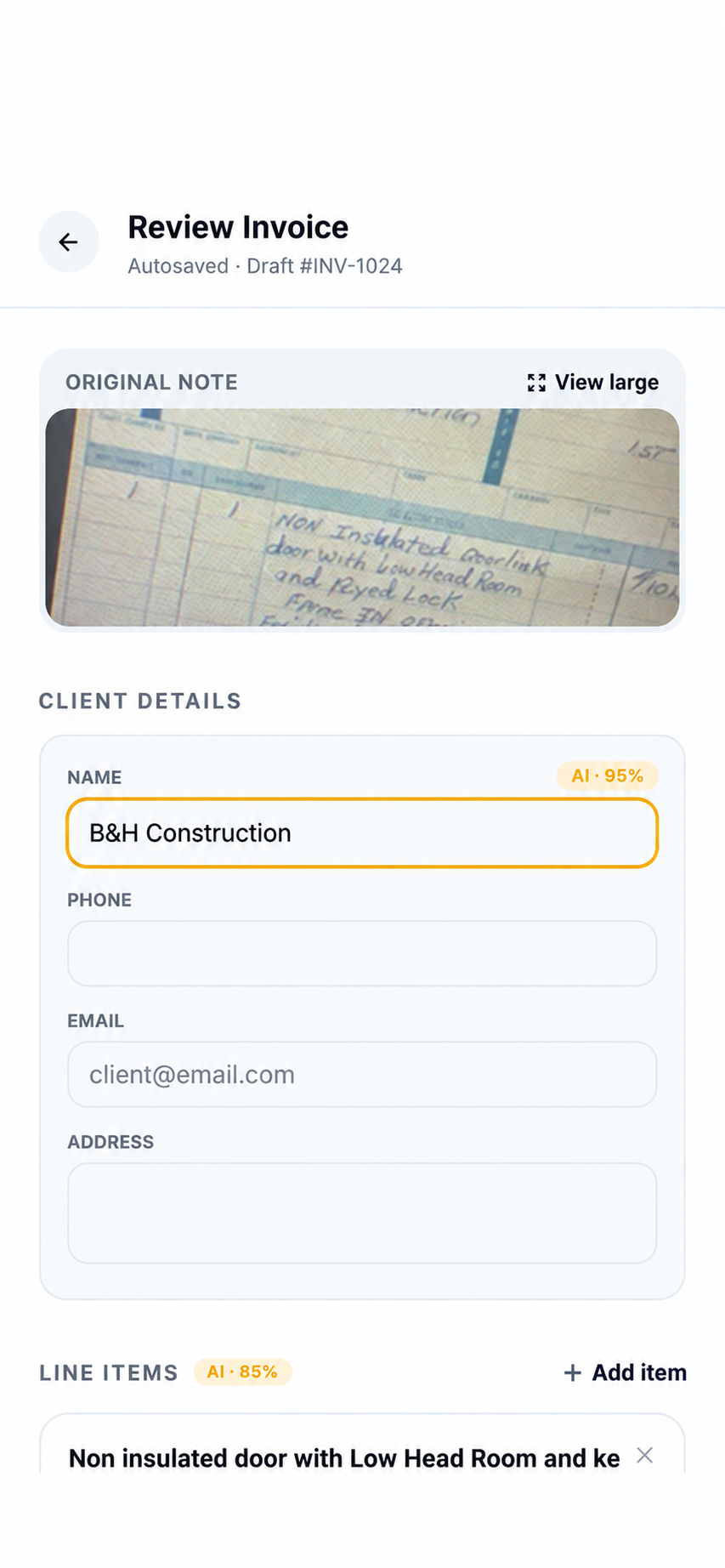
AI fills in client details, line items, prices, and work notes. The user checks and edits the information before sending.
03
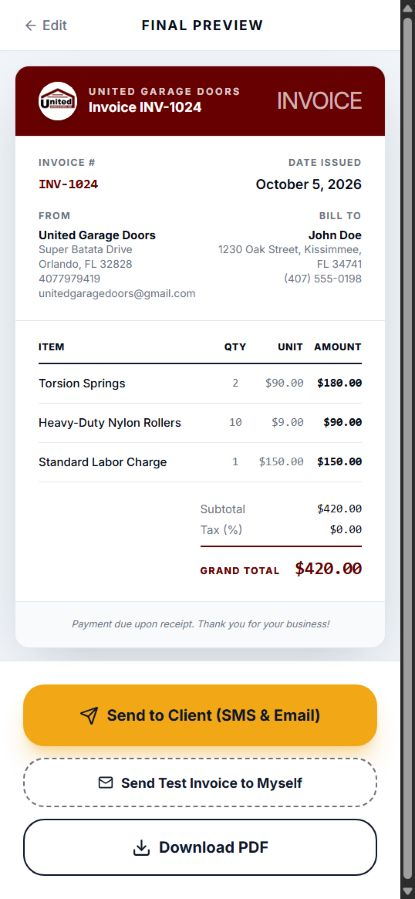
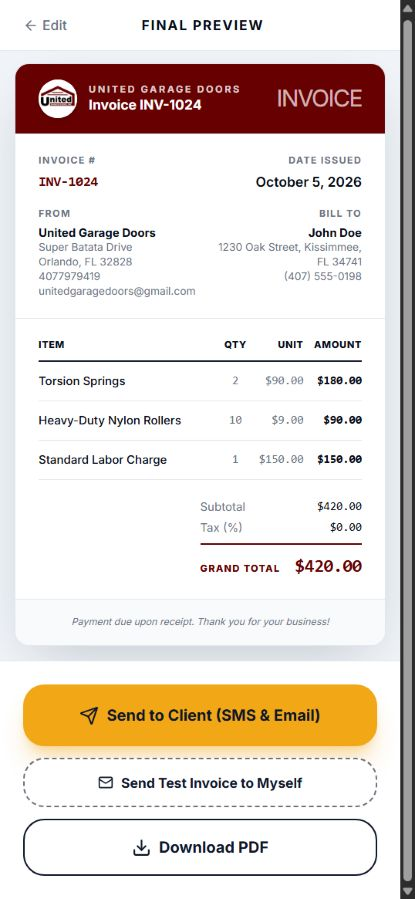
Generate a branded invoice and send it to the customer by email or SMS instantly.
04
Customers pay through the invoice link, with payments handled through the business’s connected Stripe account.
The capture and AI-review views are supplied, edited presentation references and may contain small rendering differences. The handwritten example and finished invoice show different sample jobs.
03 · Design decisions
Scanning is the main action on the home screen. Manual invoice creation remains available when there is no paper document to capture.
Extracted details remain editable, and the original handwritten note is accessible for comparison. AI provides a starting point; the user stays responsible for the final invoice.
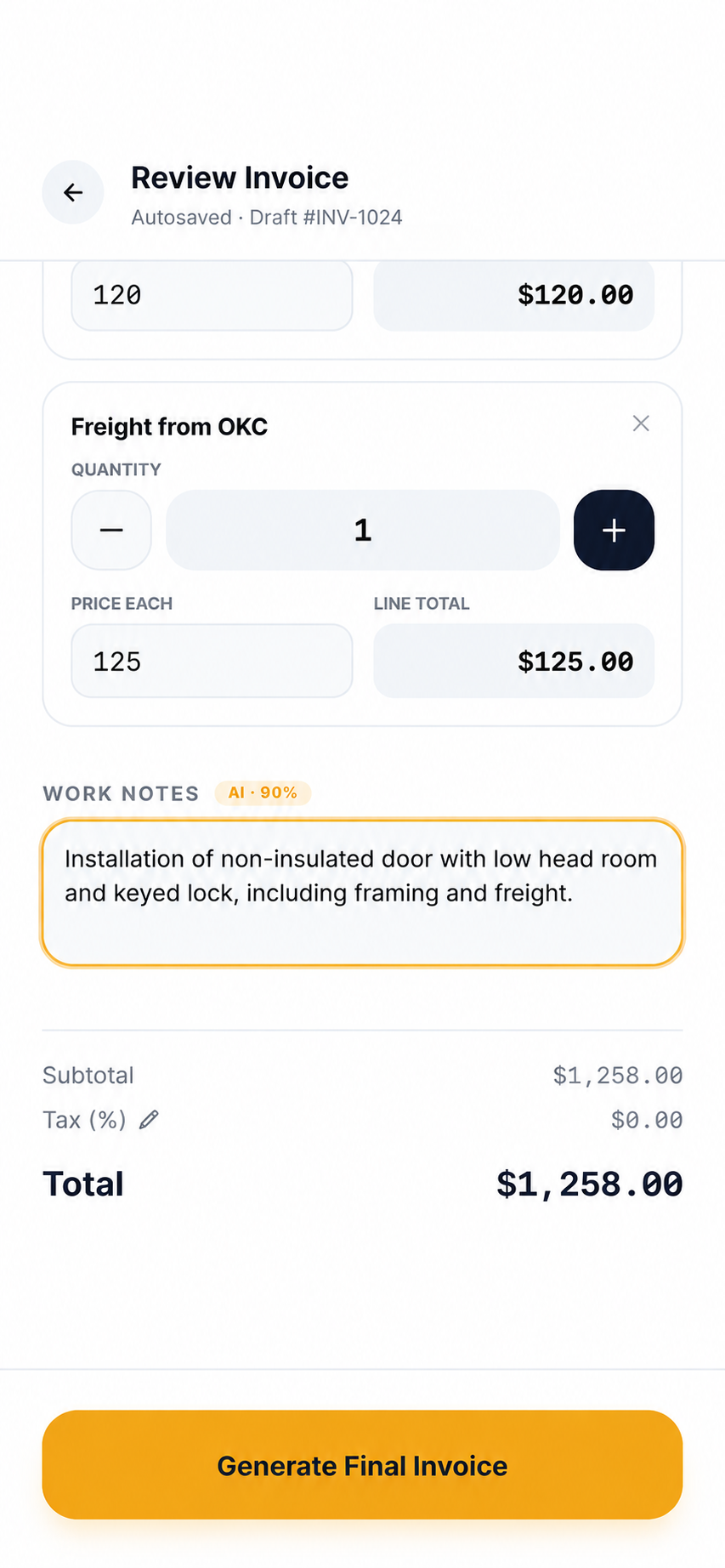
Line-item controls, prominent totals, and consistent primary actions guide the transition from review to delivery.
04 · Client management and business tools
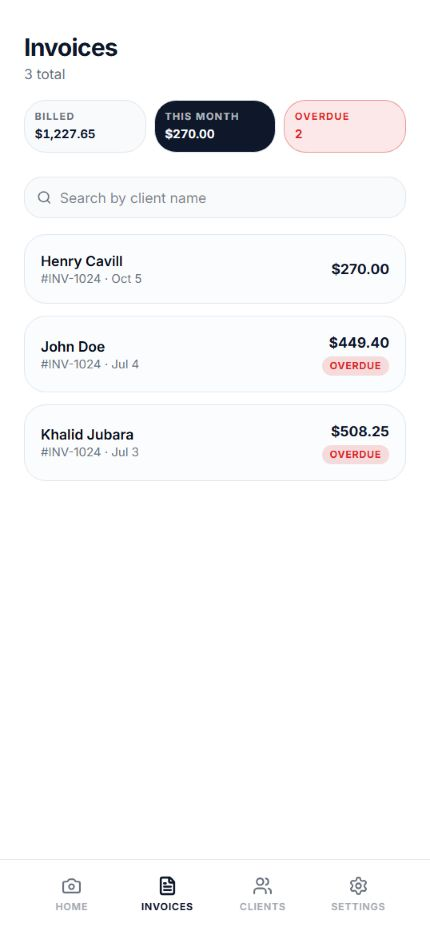
The invoice dashboard shows billed and current-month amounts alongside overdue indicators. Individual invoice records keep line items, totals, and status accessible, with actions to edit, resend, or mark an invoice paid.
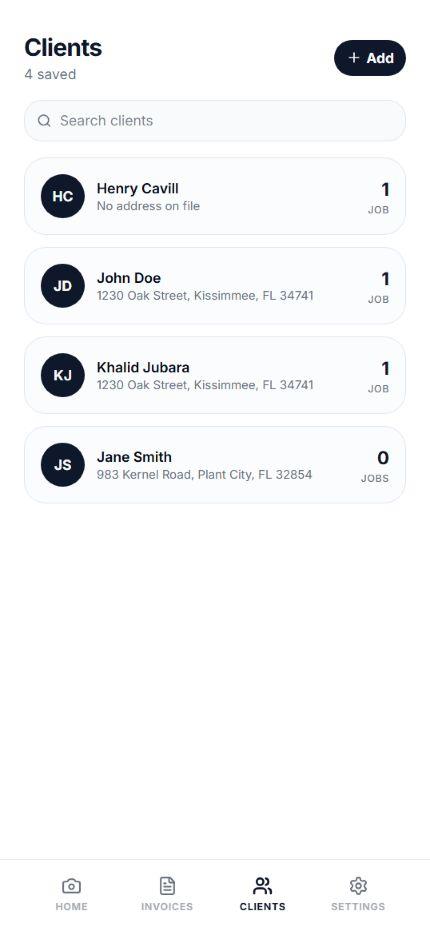
The CRM keeps each customer’s data and contact details alongside invoices for the jobs completed for them. Invoice history includes the job date, price, and invoice number, so past work is easy to review. Call, text, and navigation actions are available from the customer record, with a navigation pop-up that opens Google Maps or Apple Maps—all from the app.
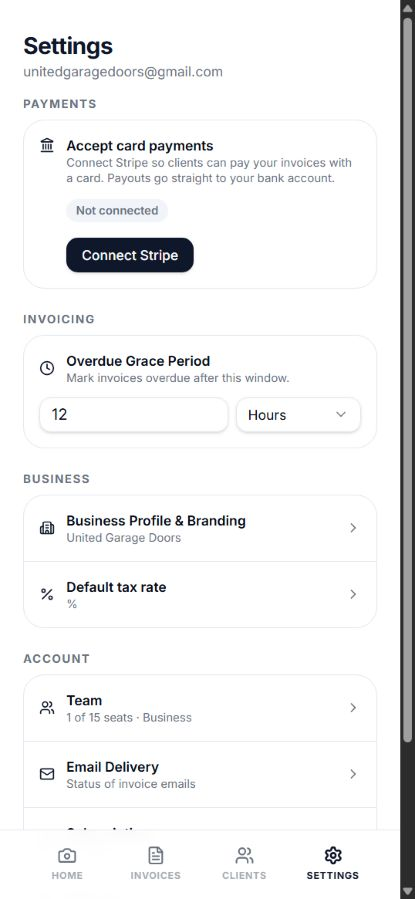
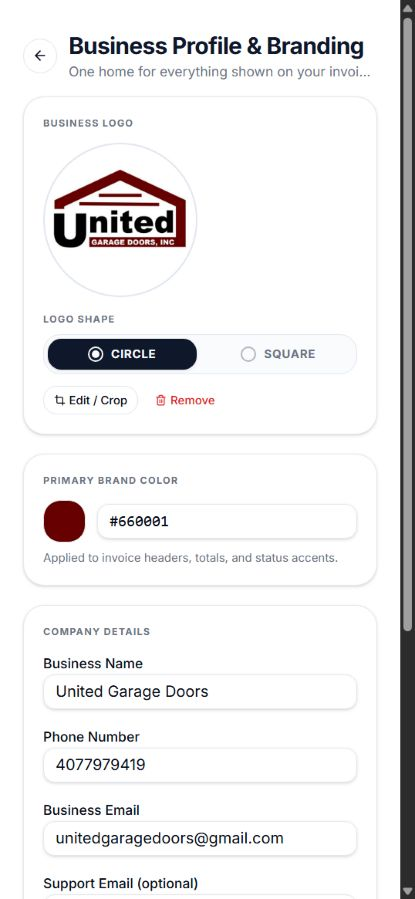
Logo upload and cropping, brand color, and company details keep invoices consistent with the business. Default tax and configurable overdue grace periods reduce repeated setup and make invoice status easier to interpret.
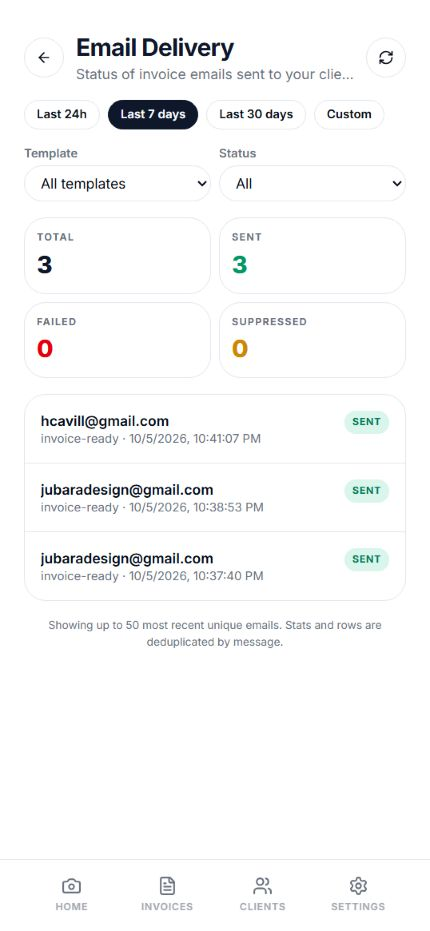
Team invitations and seat management let a business bring technicians into the app. Email delivery logs show sent, failed, and suppressed counts, with date and status filters to inspect whether invoice emails reached the delivery stage.
05 · Closing
GetFastInvoice brings invoice creation, lightweight client management, payment status, and business administration into one working app. Design and AI-assisted development with Lovable helped turn that broader service-business workflow into a usable product, with handwritten capture as an optional starting point.
Try GetFastInvoice